
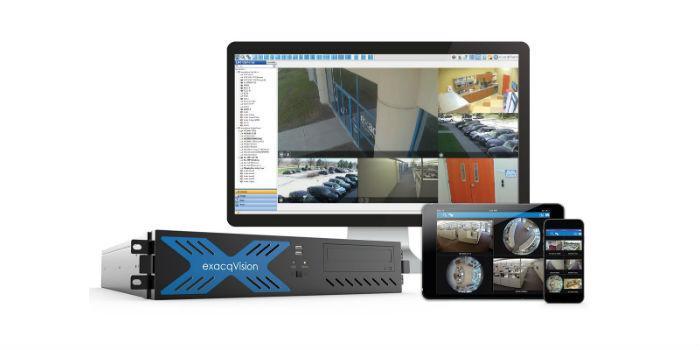
 International. Johnson Controls announced new features for its exacqVision VMS software, the new version 19.09, which optimizes license management, camera filtering and exposure profiles of Illustra cameras.
Whether your role is to install exacqVision, monitor live video, or manage enterprise deployments, Tyco's latest Exacq software update offers simplified features to fulfill exacqVision tasks.
Now, administrators using Enterprise Manager, with a software subscription agreement (SSA) in place, can easily transfer any camera channel (even unused ones) from one license to another network video recorder (NVR) at no charge. This new feature saves a lot of time because it enables administrators to make immediate transfers without delays for processing purchase orders.
Now, the Live Cameras page, on exacqVision, offers the option to keyword filter any defined camera attribute, allowing for quick filtering between thousands of cameras. Using metadata to define camera attributes allows for fast camera filtering, so users can create dynamic live groups, rather than relying solely on the camera name. In addition, with this feature, users can see all the cameras in the same building or on a specific street quickly, as well as other cases where it is very important to produce quick results.
For installers integrating Illustra cameras, it is now possible to select from exacqVision the integrated Illustra profiles, offering predefined camera configurations for a wide variety of scene types. Exposure profiles are an easy way to automatically adjust camera settings depending on how the camera is going to be used, optimizing video streams based on the type of scene. This simplifies the setup process for installers because access through exacqVision software is convenient and reduces installation time.