
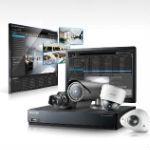
 Latin America. Samsung has introduced Samsung Security Manager, a free management software platform for video surveillance, designed for its customers to get the most out of their investment in network cameras, encoders, DVRs and NVRs from the company.
The client server architecture of the Samsung Security Manager allows the installation of up to 1,152 cameras in multiple buildings or places for centralized management and facilitates, for authorized users, the monitoring of recorded or live images from anywhere on the network.
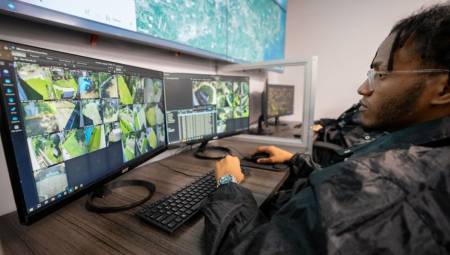
One of the main virtues of the Samsung Security Manager (SSM) is its intuitive graphical interface, which allows any operator to choose the most appropriate screen configuration for the number of cameras they need to control at once. Different configurations can be saved with their own name, which can include various split-screen combinations in 4:3 or 16:9 format for future use.
In addition, you can import building plans and maps that can include icons that show the location of each installed camera. The icons can be programmed to open a window when your alarm is triggered, so that the operator can quickly select it and see the live image of the camera closest to the incident, without losing the possibility of recovering at the same time recorded images or what may have happened before the alarm goes off. A real-time event viewer provides a log of events that include a preview of each channel, as well as comments entered by the operator. The event log, which can be selected by camera number or event type, can be exported in Excel and PDF format for use as a test if necessary.
The graphical interface of the SSM also allows you to register new devices with ease, while the software performs 'checks of their correct operation' and allows the automatic update of any Samsung device on the network.